Mini 720P Projector: WiFi 6, 4K Input, BT 5.0
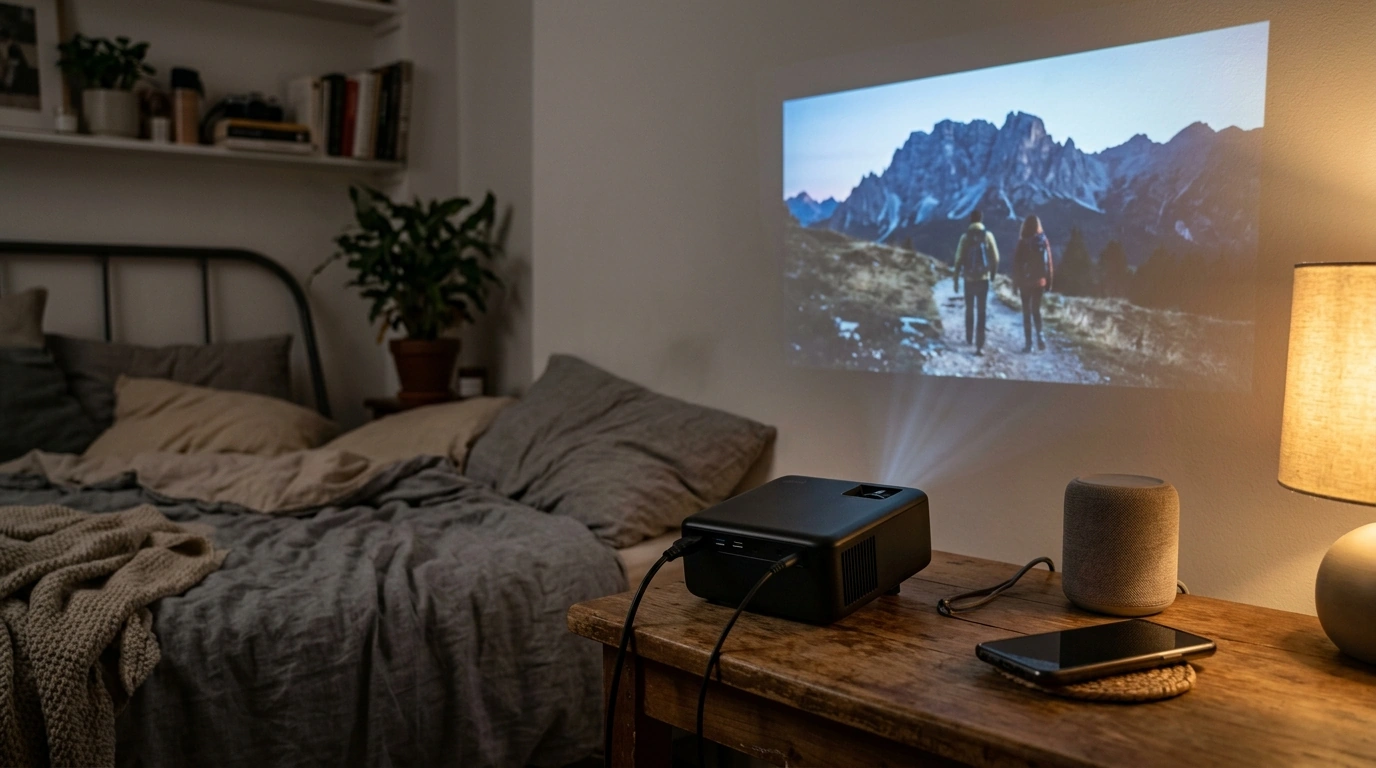
Mini 720P HD Projector with WiFi 6, 4K Support & Bluetooth 5.0: Compact Streaming and Big-Screen Playback
A mini projector can turn a bedroom wall, dorm room, or backyard screen into a movie-night setup without the size and cost of a full home-theater unit. A compact 720P projector with WiFi 6, 4K input support, and Bluetooth 5.0 is built around convenience: fast setup, easy casting, and flexible audio—so a “big screen” can follow you from room to room (or on the road). Below is a practical breakdown of picture quality, connectivity, audio upgrades, placement tips, and the everyday situations where this kind of projector shines. For more guidance, see Mini Projectors Review | Set Up a Home Theater.
What this mini projector is designed for
- Quick, portable big-screen viewing for movies, shows, sports, and casual gaming
- Simple wireless streaming from phones and laptops where a TV isn’t practical
- Space-friendly setups: bedrooms, apartments, dorms, RVs, and travel
- Occasional presentations or slideshows with easy repositioning
Key features at a glance
The appeal of this category is the blend of “good enough” HD detail with modern wireless conveniences. WiFi 6 is designed to be more efficient on busy networks (helpful in apartments and dorms), while Bluetooth 5.0 makes it easier to route sound where you actually sit. For further reading, see Projector.
Feature snapshot
| Feature | What it means for daily use |
|---|---|
| 720P native resolution | Clearer text and sharper edges than lower-resolution mini projectors; best viewed at moderate screen sizes. |
| WiFi 6 | More efficient wireless performance on modern routers; helps reduce buffering during casting. |
| 4K input support | Can accept 4K sources (streaming devices/consoles) and scale them to the projector’s output. |
| Bluetooth 5.0 | Easier audio upgrades without cables; useful when the projector is placed far from seating. |
| Mini size | Simple to move between rooms or pack for trips. |
Picture quality: what 720P looks like on a big screen
720P can look impressively watchable when the screen size is kept in a sensible range and the image is properly aligned. For streaming shows, sports, animation, and casual gaming, the experience is often less about pixel-peeping and more about enjoying a much larger picture than a laptop or tablet can deliver.
- Keep size reasonable for sharpness: Pushing the image extremely large can soften fine details. A moderate image size generally looks cleaner and more consistent.
- Square placement matters: When the projector is centered and level with the screen, you’ll get better edge-to-edge focus and fewer “stretched corner” artifacts.
- Dark rooms look better: Like most compact projectors, contrast and saturation improve significantly when ambient light is controlled.
- A screen helps: A dedicated projector screen can boost perceived contrast and uniformity compared to textured paint, wallpaper, or lightly colored walls.
Wireless streaming and casting tips (WiFi 6)
WiFi 6 (also called 802.11ax) can improve performance on compatible routers by handling multiple devices more efficiently. For a plain-English overview of how WiFi 6 differs from older generations, the Wi‑Fi Alliance provides a helpful explainer here: Wi‑Fi 6 (802.11ax) overview.
- Use the 5 GHz band when possible: It’s often less congested than 2.4 GHz, which can reduce stutter and connection drops.
- Keep your router close: Thick walls and long distances can weaken signal strength, especially if the projector is set up outdoors or in a back room.
- Know app limitations: Some streaming services restrict screen mirroring. In those cases, an HDMI streaming stick can be a more dependable option than casting from a phone.
- Reduce background load: Close unused apps on the casting device to cut down on lag and interruptions.
Audio options: built-in sound vs Bluetooth upgrades
Built-in speakers are convenient for quick viewing, but they rarely match the fullness of a separate speaker—especially for action movies, concerts, or sports crowds. Bluetooth 5.0 is primarily about making external audio painless, and the Bluetooth SIG maintains the versioning/spec context here: Bluetooth Core Specification.
Placement, focus, and getting a straight image
Best use cases
What “4K support” typically means
Care, maintenance, and long-term performance
Product options in stock
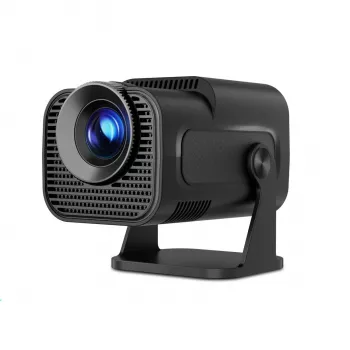
If you want an entry-level big-screen setup that’s easy to move and simple to connect, the Mini 720P HD Projector with WiFi 6, 4K Support & BT 5.0 is available and priced for casual streaming, portable movie nights, and everyday convenience.
For shoppers planning a setup on a strict budget (projector, screen, speaker, cables), the digital guide Stacked & Secure: How Much You Really Need in Savings (At Any Stage in Life) can be a helpful way to map out spending priorities before adding accessories.
FAQ
Can a 720P mini projector play 4K videos?
Yes, if it supports 4K input it can accept a 4K signal, but it will downscale the image to its native 720P resolution for display. For best compatibility, try setting the source device’s output to 720P or 1080P if you run into handshake or playback issues.
Does Bluetooth connect to speakers or does it mirror video too?
Bluetooth is typically used for audio to speakers or headphones, not for sending video. Video casting usually happens over WiFi mirroring protocols or through an HDMI streaming device, and Bluetooth audio can sometimes introduce slight lip-sync delay.
How can wireless casting be made more stable?
Use the 5 GHz WiFi band when available, place the router closer to the projector, and reduce interference from other busy devices. Keeping apps updated and switching to an HDMI streaming stick can also help when certain streaming apps restrict mirroring.








Leave a comment